

Browse With the Best VPN for the US
Get an IP address from 30+ cities and 20+ states across the US with Windscribe. Unlock US streaming libraries, manage American services, and bypass US-only sports blackouts from abroad.

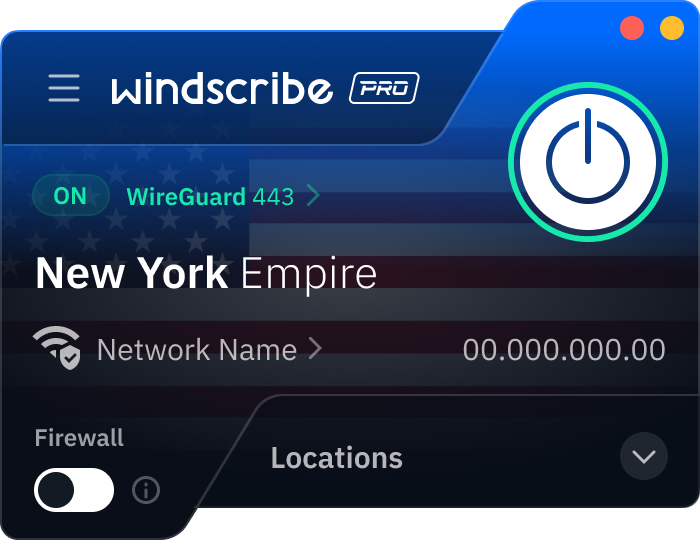
Step 1
Get the App
Step 2
Install the App
Step 3
Sign up
Why Use a VPN for the USA
Choose Your American IP

Say Goodbye to Sports Blackouts

Watch American TV Anywhere

Access American Banking & Services

Keep Your Subscriptions Local

Browse Privately With a Secure US IP
Protect Your Personal Data

Lock a Static American IP
Stay Safe While Browsing



Loved & Trusted by Over 100 Million Users
Features

6 Encryption Protocols
Widest Server Reach
Most 10 Gbps Servers
Industry-Leading Ad Blocker
Privacy: Audited & Court-Proven
Features

Other VPNs
6 Encryption Protocols
Widest Server Reach
Most 10 Gbps Servers
Industry-Leading Ad Blocker
Privacy: Audited & Court-Proven
FAQs: Top Questions About USA VPN Answered
How can I get a US IP address?


Install Windscribe on your desktop, mobile, or browser and connect to any of our multiple US server locations. Your real location will be instantly masked, allowing you to stream, browse, and log into US-only services as if you were physically in the country.
How much does a VPN cost in the United States?
Most US VPNs range from $2 to $15 per month, depending on the plan length. Windscribe offers some of the most competitive rates in the industry, with pricing starting as low as $3 USD per month. To get a VPN for the US, check out our upgrade page.
Is it legal to use a VPN in the United States?
Yes, VPNs are 100% legal in the US. There are no federal laws preventing you from using one to secure your data or block ISP tracking. While a VPN provides privacy and anonymity, it does not provide legal immunity for illegal acts committed online.
What’s the best VPN for the USA?
Obviously, we’re going to say Windscribe. Our VPN is built to protect your privacy online and let you enjoy the internet without borders. And with our strict no-logs policy, we don’t collect any data from you either. We’ve got a large network of servers, a ton of features, and over 100 million users.
Can I watch blacked-out NFL games with Windscribe?
Yes. Since sports blackouts are enforced based on your IP address, you can bypass them by connecting to a Windscribe server in a different city. For example, if a game is blacked out in New York, simply switch your location to a city where the game is being broadcast.
How do I use the USA VPN extension with Windscribe?
Download the Windscribe extension for Chrome, Firefox, or Opera. Once installed, log in and select a US server from the list. This instantly changes your browser’s IP address, allowing you to access US-only content without affecting the rest of your computer’s traffic.
How can I use Windscribe for PC to get a US IP address?
Download and install the Windscribe app for Windows, macOS, or Linux. After logging in, select a US server location and click connect. Your entire PC connection will now be routed through the United States, securing your traffic and unlocking domestic streaming libraries and services.