

Where do I access my OpenVPN credentials?

Winder S
Feb 25, 2026

You can get your OpenVPN credentials from the Config Generator tab in My Account. You must be logged into your account and be on a paid plan (Pro or Build-a-Plan) to use it.
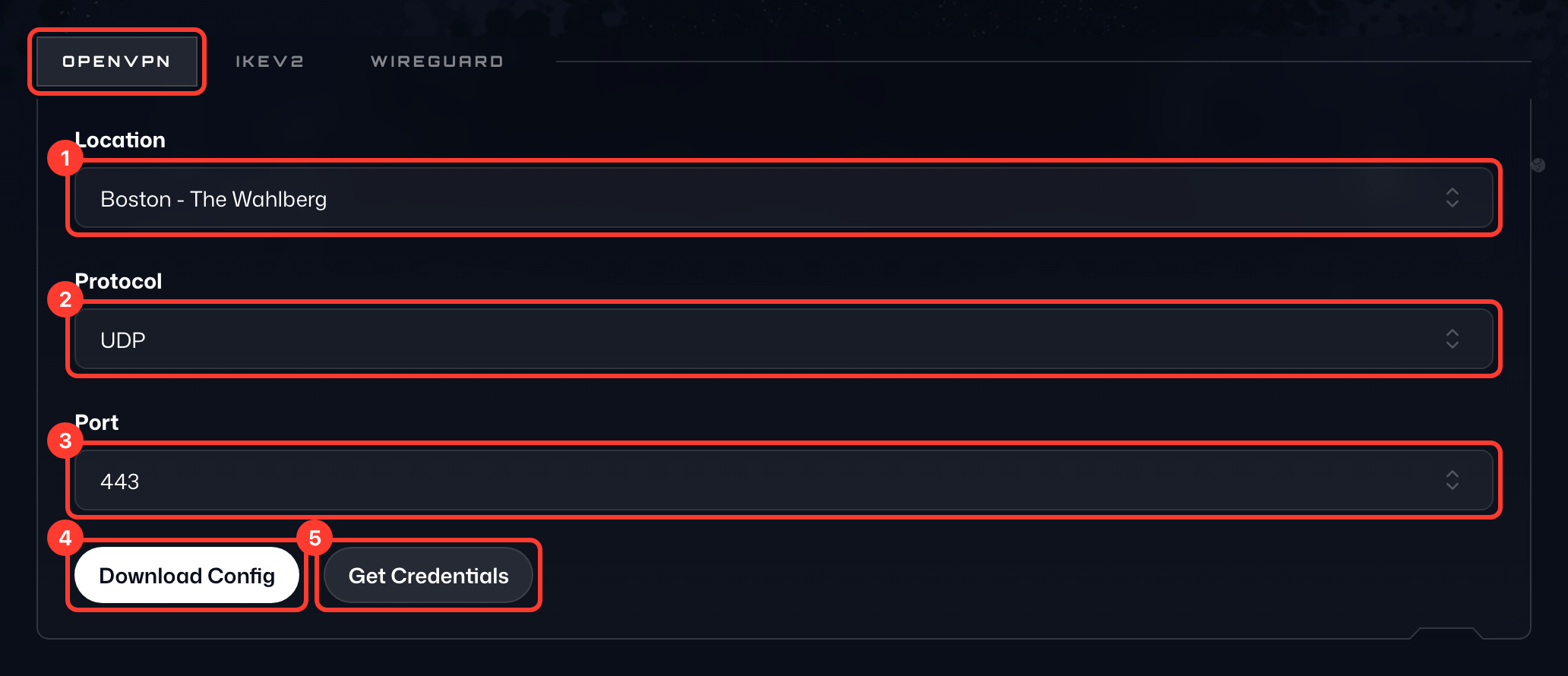
Open the OpenVPN tab of the card, then:
- Select your Location (1) of choice from the dropdown. If you pick one of your static IPs, also select its Device.
- Select your Protocol (2), UDP or TCP.
- Select your Port (3); use 443 if you're unsure.
- Press Download Config (4) to save the config to your device.
- Press Get Credentials (5) to see the Username and Password (6) for the connection below the buttons. They are not the ones you sign in to Windscribe with.