

How To Claim A Promo, Voucher, or Discount Code

Winder S
Mar 11, 2025

Upgrade to Pro or Activate Extra Data Plan
If you have a code to add data or to upgrade to a Pro plan, here's how you can claim it:
- Log in on our website here: https://windscribe.com/login
- Open Subscriptions under Billing in your account: https://windscribe.com/myaccount/billing
- In the Plan Information card, click Redeem Voucher next to your plan. (You won't see the Redeem Voucher button if you're already on a Pro plan.)

- Enter your code (1) and click Redeem (2).
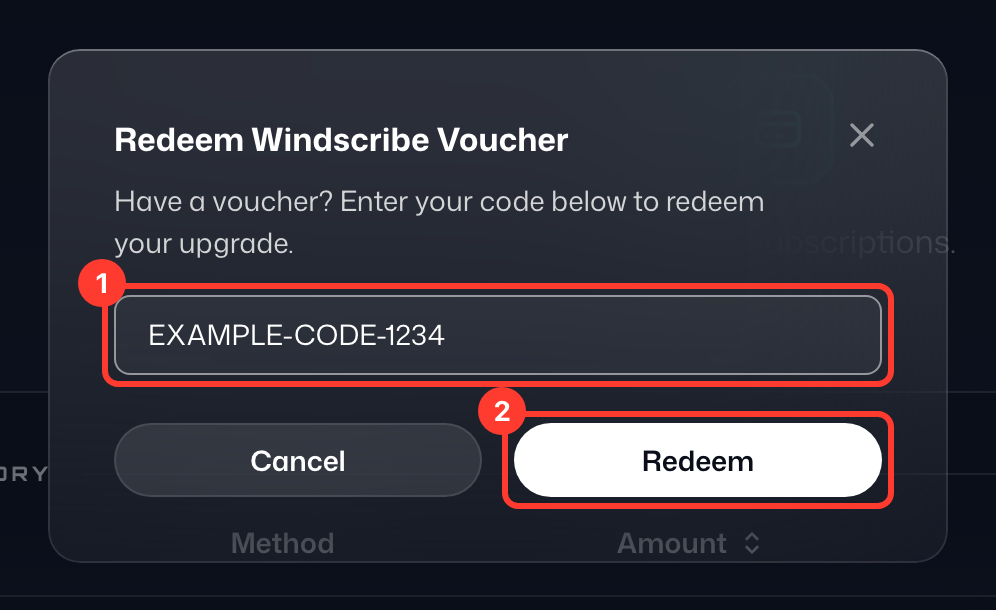
- You're done! You should see the upgrade right away. Please note that if you are on a Free account, you need to have a confirmed email address to get more data.
Activate Discount Code for a Purchase
If you have a code to activate a discount for a paid plan, here's how you can activate that discount:
- Log in on our website here: https://windscribe.com/login
- Head over to the pricing/upgrade page here: https://windscribe.com/upgrade
- Scroll down until you see the "Have a promo code?" button:
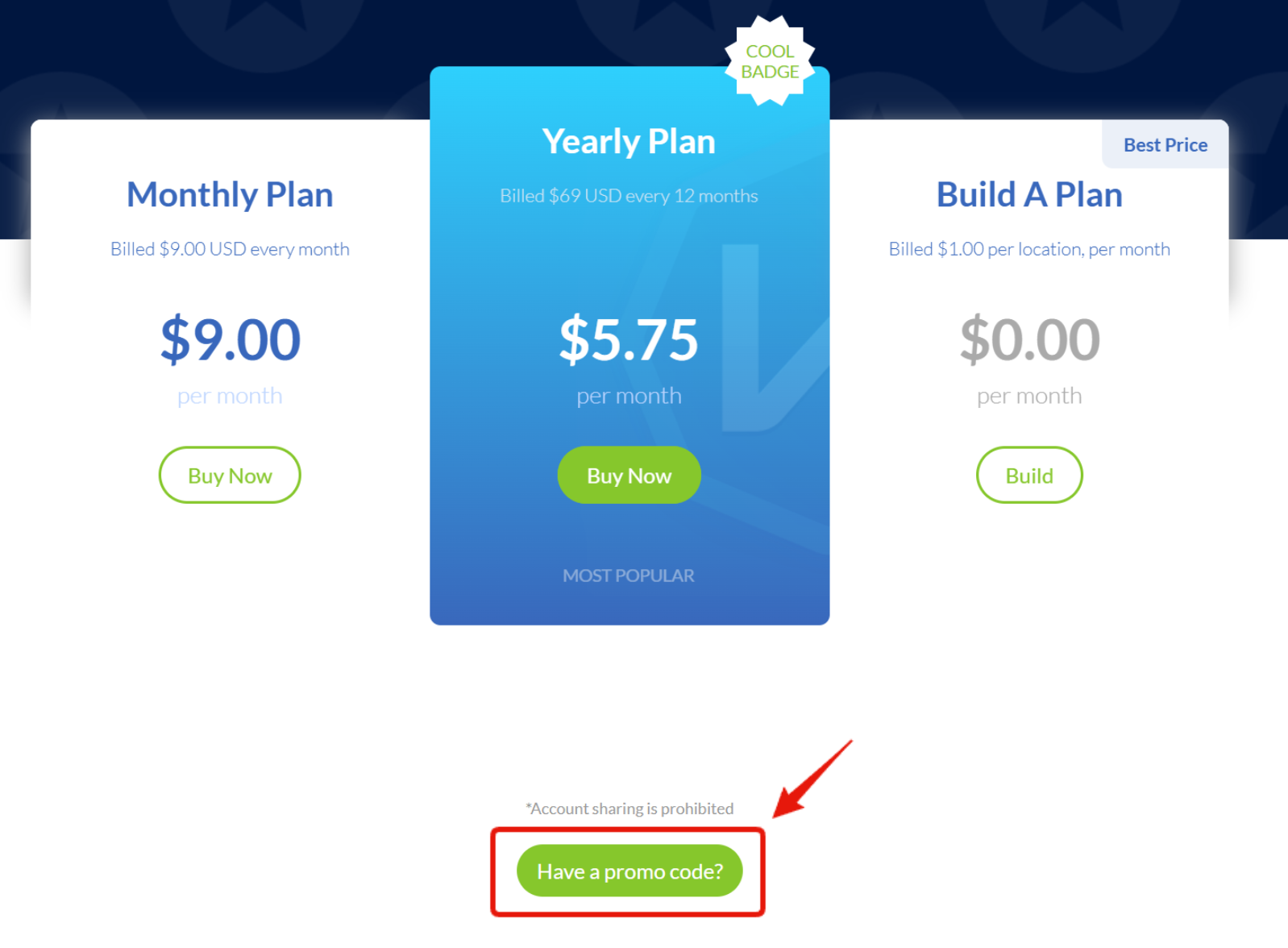
- Click this button and a text box will appear
- Enter your Promo Code and then click Submit to activate the discount:
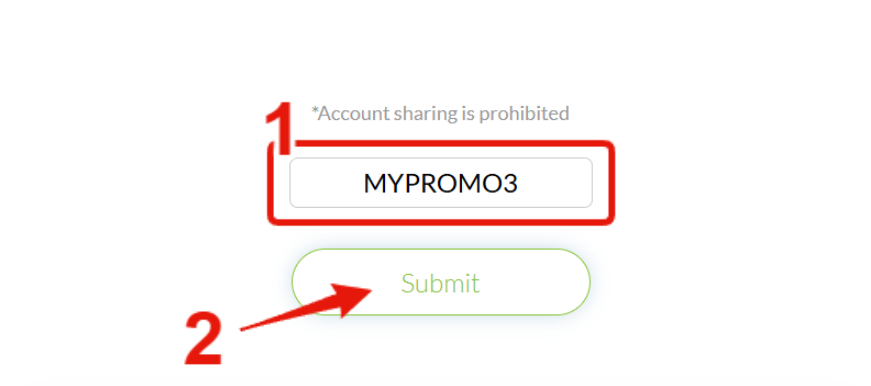
- And that's it! The page should refresh and the discount will be active.
You can also enter a discount code in the Redeem Voucher window under Billing › Subscriptions. After you click Redeem, click Continue Purchase to see your discounted plan and complete your purchase.
If at any point you want to visit the original pricing page without the active discount, you can use the following link: https://windscribe.com/upgrade?promo=NOPROMO
Stay informed of current Windscribe promo codes and deals.